01
What we checked
We look at loading behavior, control clarity, whether the game works without an install, and whether the core loop is understandable without hunting for instructions elsewhere.
Loading...
Urban Siege Line: Free Zombie Shooter Review & Tips
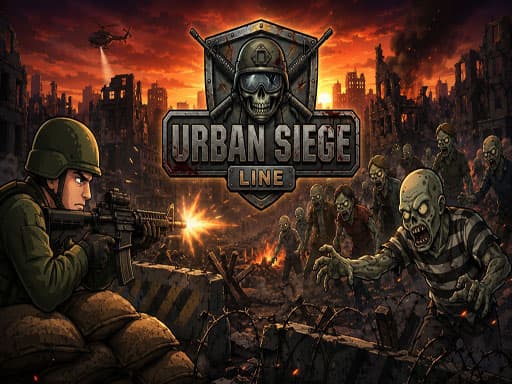
Lane-based defense game about shooting zombies. Switch three guns, call air strikes, survive the waves. Surprisingly tough around level three.
Urban Siege Line is listed in our Shooting collection because it passed a basic playability review: it loads in a modern browser, explains itself quickly, and offers a clear reason to keep playing after the first attempt.
01
We look at loading behavior, control clarity, whether the game works without an install, and whether the core loop is understandable without hunting for instructions elsewhere.
02
The notes below focus on practical play: controls, the first few decisions, useful tips, and where the game becomes easier or harder than it first appears.
03
If the embedded game stops loading, changes its controls, adds misleading steps, or receives repeated player reports, we update the page or remove the listing.
Desktop keyboard setup is pretty cramped and takes getting used to. Use Up and Down Arrow keys to swap lanes, S to shoot, 1 2 and 3 to cycle weapons, A for air support, D for support squad, and F for grenades. Press P or ESC to pause. Personally, it took me forever to stop accidentally hitting D instead of F and wasting my squad early.
Urban Siege Line is a 2D action shooter where you defend a ruined city from waves of zombies. Mechanically, it's a lane-based system where you shift up and down to avoid getting mauled while shooting whatever shambles toward you. There are upgrades to buy between levels and limited-use abilities like grenades and air strikes to bail you out. The upgrade armory expands as you play and earn currency, giving you some build choices for later levels. Anyone who enjoyed old Flash-era defense games will probably vibe with this one. If you hate managing limited resources or don't like lane restrictions, this game's structure will probably annoy you.
If you enjoy defending against waves of enemies, offers a different take on survival combat.
Each level tasks you with holding off a set number of zombie waves. A single mission takes about three to five minutes once you know what you're doing, but early on you'll likely spend a good ten minutes per level just learning the ropes. The core loop is moving between lanes, blasting incoming enemies, and using your special abilities when things get rough. After clearing a wave, you spend money on weapon upgrades to prep for the next run. The third level spike caught me totally off guard. The game throws a bunch of fast enemies at you at once, and I kept forgetting I even had grenades because the F key isn't the most natural fit when you're mashing S to shoot. Before I knew it, my defenses were overrun and I had to restart the whole mission.
When you need a break from zombies, is a weirdly fun arcade distraction.
Three lanes to move between while defending your city line.
Three distinct weapons you can swap between mid-fight.
Support squad and air strikes give you 2 panic buttons.
Upgrade your armory between waves to handle tougher enemies.
Grenades clear out clustered groups fast.
Levels generally take 3-5 minutes each to complete.
Don't ignore the support squad — they tank damage while you reposition.
Save your air support for wave 3 or later in each level.
Upgrade your secondary weapon first since it usually has better crowd control.
Don't blow all your grenades on a single zombie, save them for groups.
Keep your fingers near the bottom left of the keyboard so switching weapons is faster.
I kept accidentally hitting D instead of F — remap your brain early to avoid wasting the squad.
For something completely different after a long siege, is a chill puzzle game that won't demand quick reflexes.
Common questions about Urban Siege Line
The game doesn't tell you upfront, but you unlock more upgrades as you progress. Expect to spend a couple hours getting through the later levels.
Kinda. There are on-screen buttons for mobile, but the controls feel cramped on a phone screen and the game is clearly built for desktop keyboard use.
Depends on your playstyle, but the second weapon usually has better crowd control which helps a lot when enemies start piling up in multiple lanes.
Air support and squad deployment have limited uses per mission. Grenades are also limited. You can't just spam them constantly.
The difficulty ramps up suddenly with faster zombies. Focus on lane management and don't waste your explosives early in the fight.
Not that I found. Defense is mostly about killing enemies before they reach your line and using the support squad as a buffer when things get rough.
Press P or ESC to pause. Useful when you need to check which weapons you have equipped or just take a breather.
You restart from the beginning of that level but keep your armory upgrades. At least you don't lose your progress entirely.
Last reviewed: May 2026 / Reviewed by Claw AI Game
Lane-based defense game about shooting zombies. Switch three guns, call air strikes, survive the waves. Surprisingly tough around level three.
There are plenty of zombie shooters on browser sites, but the lane movement here gives it a slightly different feel than standard arena survival. The weapon swapping and air strike cooldowns add more decision-making than your basic point-and-click zombie game. The controls feel clunky at first compared to smoother shooters, but it gets the job done once you build muscle memory.