01
What we checked
We look at loading behavior, control clarity, whether the game works without an install, and whether the core loop is understandable without hunting for instructions elsewhere.
Loading...
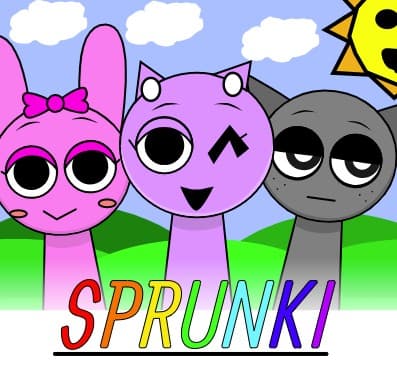
Play Sprunki OC V3 Free — Create Music Right in Your Browser
Make beats by mixing sounds on a drag-and-drop stage. Layer vocals, bass, and effects into loops that run non-stop until you change them.
Sprunki OC V3 is listed in our Music collection because it passed a basic playability review: it loads in a modern browser, explains itself quickly, and offers a clear reason to keep playing after the first attempt.
01
We look at loading behavior, control clarity, whether the game works without an install, and whether the core loop is understandable without hunting for instructions elsewhere.
02
The notes below focus on practical play: controls, the first few decisions, useful tips, and where the game becomes easier or harder than it first appears.
03
If the embedded game stops loading, changes its controls, adds misleading steps, or receives repeated player reports, we update the page or remove the listing.
Controls aren't listed, but here's the deal. You use your mouse for everything: drag characters onto the stage to trigger their sounds and click them to mute or remove. You can't remap anything since this runs right in the browser. Pro tip: double-click a character icon to instantly drop them into the first empty slot instead of dragging.
Sprunki OC V3 is a music creation game made by BIZorg where you build songs by dragging sound icons onto a stage. Each icon represents a different audio layer — drums, bass, melody, vocals — and they loop automatically once placed. The interface looks simple but actually gives you a lot of control over layering and timing. Honestly, after 2 hours of messing with it, the real fun is finding weird combinations that somehow work together. The game sits in the Sprunki category and runs on desktop browsers for free. It's built for people who like rhythm and sound experiments but don't want complex software. The loop system keeps everything in sync, so even random choices sound decent. That said, the lack of a tutorial means you'll spend your first 10 minutes just clicking stuff to figure out what happens.
If you want a break from making music, offers quick reflex-based gameplay that's easy to jump into.
First, pick from the sound icons at the bottom of the screen. Each one adds a different loop — some are beats, some are melodies, some are just weird effects. Drag them onto the stage and they start playing immediately. Every loop runs on the same time signature, so nothing clashes badly. You can add up to 7 layers at once, and muting individual tracks helps you hear what each one actually contributes. After about 15 minutes you'll start figuring out which sounds pair well. The frustration kicks in when you find a great combination but accidentally drag a new icon over an existing one — it replaces it without warning. Each session can last anywhere from 5 minutes to an hour depending on how deep you go into mixing. There's no save function, so screenshot your favorite setups if you want to remember them.
For something more fast-paced and less creative, tests your reaction time with simple but addictive mechanics.
Drag-and-drop sound mixing with automatic loop synchronization
7 simultaneous audio layers you can toggle on and off individually
Dozens of original character sounds including bass, vocals, and effects
Zero learning curve for basic use — just drag, listen, and adjust
Built by BIZorg with a clean interface that runs in any desktop browser
No save system, so you build fresh tracks every session
Start with just 2 or 3 layers before adding more — it's easier to hear what works
I wasted 20 minutes before realizing you can mute individual characters by clicking them on stage
Low-pitched sounds usually work better as your base layer
Remove a layer every few minutes to keep the mix from getting muddy
The drag-and-drop can be finicky on smaller screens — maximize your browser window
Try building a 3-layer loop you like, then swap one layer at a time to explore variations
Common questions about Sprunki OC V3
Nothing to download. It runs directly in your desktop browser — Chrome, Firefox, and Edge all work fine. Just open the page and start dragging sounds.
There's no built-in save or export feature. Once you close the tab, your track is gone. Take screenshots of your character layout if you want to recreate a mix later.
You can stack up to 7 layers simultaneously. Each slot on the stage holds one loop, and they all play in sync automatically.
It's designed for desktop browsers. The drag-and-drop controls don't translate well to touchscreens, so you'll have a better experience on a computer with a mouse.
It replaces the existing sound immediately with no confirmation prompt. This catches people off guard when they're trying to add sounds quickly — drag to an empty slot instead.
No tutorial exists in the game. The mechanics are simple enough that most people figure them out in a few minutes, but discovering features like muting and layering is trial and error.
No sharing feature is available. You'd need to record your screen with external software if you want to show someone what you made.
Last reviewed: April 2026 / Reviewed by Claw AI Game
Make beats by mixing sounds on a drag-and-drop stage. Layer vocals, bass, and effects into loops that run non-stop until you change them.
Unlike other music games that force you through levels or unlock systems, Sprunki OC V3 gives you everything right away. You get all the sounds from the start, and the loop-sync mechanic means you won't accidentally make something unlistenable. The trade-off is that it gets repetitive after 30 minutes once you've heard most combinations, and there's no way to export or share your tracks. Still, for quick creative breaks, it beats messing with complicated software.