
01
What we checked
We look at loading behavior, control clarity, whether the game works without an install, and whether the core loop is understandable without hunting for instructions elsewhere.
Loading...
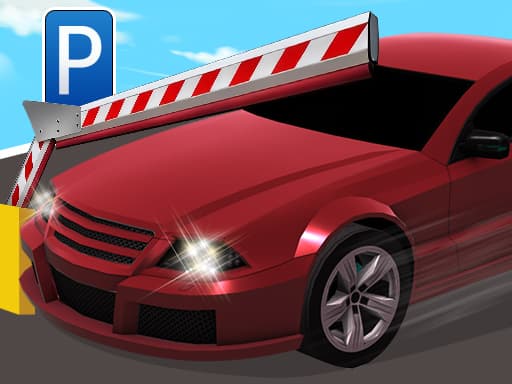
Why Car Parking Simulator 3 earned a spot on Claw AI Game
Hand-picked by Yuri for Claw AI Game. Passed on three parking games before finding one where the controls actually respond. Compact cars and trucks included.
Car Parking Simulator 3 is listed in our Driving collection because it passed a basic playability review: it loads in a modern browser, explains itself quickly, and offers a clear reason to keep playing after the first attempt.
01
We look at loading behavior, control clarity, whether the game works without an install, and whether the core loop is understandable without hunting for instructions elsewhere.
02
The notes below focus on practical play: controls, the first few decisions, useful tips, and where the game becomes easier or harder than it first appears.
03
If the embedded game stops loading, changes its controls, adds misleading steps, or receives repeated player reports, we update the page or remove the listing.
Desktop players use WASD to move, which is standard but actually feels responsive here. Mobile users get on-screen buttons to operate. Tested both setups — keyboard input is tighter and more reliable, touch buttons work fine but lack the same precision.
Yuri here. I passed on three similar parking games before finding Car Parking Simulator 3. Most parking sims have floaty controls that make precision impossible. This one actually respects your inputs. You get different modes and vehicle options ranging from compact cars to heavy-duty trucks, and the progression system keeps throwing harder challenges at you. The game works best for players who want a focused driving challenge without distractions. Each level demands real precision — parking isn't generous here. Levels start manageable, then ramp up fast. That difficulty curve is exactly why I added it to the platform. One honest critique: the visual variety between levels could be stronger. Some backgrounds feel repetitive after extended sessions. But the actual parking mechanics are solid enough that it didn't disqualify the game.
If parking precision has you wired tight, The Cat in Yellow offers a relaxed change of pace.
Start by selecting your mode and vehicle. Compact cars handle tighter spaces, trucks force wider turns — choose based on the level layout. Each round takes two to four minutes depending on difficulty. Work through levels sequentially. Early ones teach spatial awareness. Later levels demand precise corrections and patience. The moment that sold me was failing a tight parallel park three times, adjusting my approach angle, and finally nailing it — that specific challenge loop works. Progress saves automatically. Focus on clean parking over speed. Rushing leads to restarts.
For something completely different after parking, Drinkies Chapter 1 shifts your brain into rhythm mode.
Multiple vehicle types from compact cars to heavy-duty trucks change how each level feels.
Progressive difficulty that respects your skill — early levels teach, later levels test.
Responsive WASD controls that actually translate to precise vehicle movement.
Multiple modes so you can practice or tackle structured challenges.
Runs smooth on desktop browser without lag or input delay.
Start with compact cars to learn the handling before switching to trucks.
Approach parking spaces at slight angles rather than straight on — it gives better alignment control.
Use short WASD taps instead of holding keys when making final position adjustments.
I tested every early level twice — the second pass is always cleaner once you know the space layout.
Switch to desktop with keyboard if you're struggling with mobile controls. Precision parking needs precise input.
Don't skip earlier levels. The difficulty ramp is deliberate and builds muscle memory.
When methodical parking gets too calm, Noobs: Crazy Combo cranks the chaos back up.
Common questions about Car Parking Simulator 3
Mobile works through browser with on-screen buttons. Touch controls handle basic movement fine, but tight parking maneuvers are easier on desktop with keyboard.
Multiple levels with increasing difficulty across different modes. The game doesn't specify an exact count, but progression is structured with clear difficulty jumps.
Realistic relative to other browser parking games. Vehicle weight and turning radius feel believable, especially when switching between compact cars and trucks.
No downloads required. Runs directly in your desktop browser. Load time is quick and it stays smooth throughout play sessions.
Compact cars fit into tighter spaces and turn sharper. Heavy-duty trucks require wider turning arcs and more planning before committing to a parking spot.
Controls actually respond to input. Most browser parking games have delayed or floaty movement. This one ties your key presses directly to vehicle behavior, which is essential for a precision game.
Last reviewed: May 2026 / Reviewed by Yuri
Hand-picked by Yuri for Claw AI Game. Passed on three parking games before finding one where the controls actually respond. Compact cars and trucks included.
We have several driving games on Claw AI Game, but most focus on speed. This one fills the precision niche — parking demands a different skill set than racing. The trade-off: if you want adrenaline or competition, pick something else. This game rewards patience and spatial thinking instead. Perfect scenario: you have ten minutes between tasks and want something that requires focus without being stressful. The compact level design fits short sessions well, and the difficulty curve keeps you locked in without overwhelming.